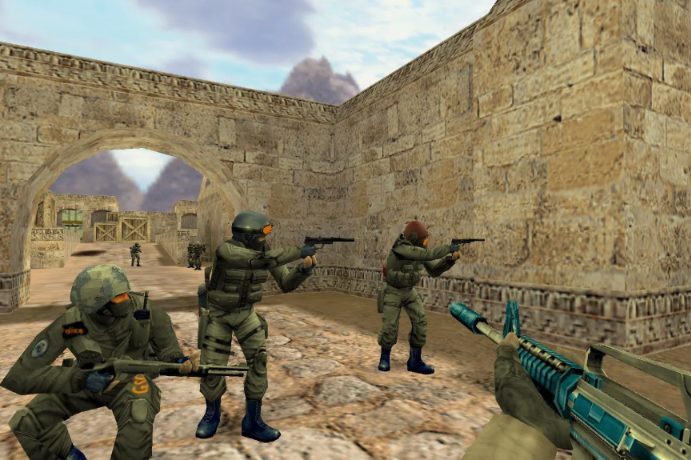
Counter-Strike 1.6 came out more than two decades ago, and people still fire it up every single night. Some of them are veterans who remember LAN cafes full of cigarette smoke and CRT monitors. Others are teenagers who heard their older brother talk about de_dust2 and wanted to see what the fuss was about. Whichever group you belong to, the first step is the same: getting a clean, working copy of the game onto your computer.
This guide walks you through that process without the usual fluff. No vague promises, just the steps that actually matter.
Why Counter-Strike 1.6 Is Still Worth Installing
Before we get into the download itself, it helps to understand why this game refuses to die.
-
It runs on almost anything. An office laptop from 2012 will push > well over 100 FPS.
-
The gameplay is pure. No skins that change hitboxes, no battle > passes, no loot boxes. Just aim, movement and teamwork.
-
Matches are short. A full map takes around 30 minutes, and a > single round rarely lasts more than two.
-
The community is alive. Public servers in Lithuania, Poland, > Russia and Brazil still fill up every evening.
If you grew up with modern shooters, 1.6 will feel strangely fast and unforgiving. That is exactly the point.
Step 1: Choose a Trusted Source
This is where most people go wrong. Search for “CS 1.6” and you will find hundreds of sites offering installers. A lot of them bundle adware, browser hijackers or outdated builds that crash on Windows 10 and 11.
The safest move is to use a portal that the local gaming community already relies on. If you want a quick and reliable Counter strike download, Cybersports.lt is a solid place to start. The site offers the game ready to install, so you are not hunting for missing DLL files or patching things by hand.
A good source usually has a few things in common:
-
A clear file size listed before you click download
-
Recent comments or updates showing the build is still maintained
-
No pop-ups asking you to install extra “optimizers” or toolbars
Step 2: Check Your System
Counter-Strike 1.6 is light, but a quick check saves you trouble later.
| Component | Minimum | Comfortable |
|---|---|---|
| Processor | 500 MHz | Any dual-core CPU |
| RAM | 96 MB | 2 GB or more |
| Graphics | 16 MB video card | Any GPU with OpenGL support |
| Disk space | 500 MB | 1 GB |
| OS | Windows XP | Windows 10 / 11 |
In practice, if your computer can open a web browser, it can run CS 1.6.
Step 3: Install the Game
Once the installer is on your computer, the process is straightforward:
-
Run the installer as administrator. Right-click the file and > choose “Run as administrator”. This prevents permission errors > when the game writes config files.
-
Pick an install folder outside Program Files. Something like > C:\Games\CS16 works best. Windows sometimes blocks programs from > saving settings inside Program Files.
-
Allow the firewall prompt. When you first launch the game, > Windows will ask whether to allow network access. Say yes for both > private and public networks, otherwise the server browser stays > empty.
-
Launch and set your name. Open Options → Multiplayer and change > the default “Player” nickname to something of your own.
Step 4: Tweak a Few Settings Before Your First Match
The defaults are not great. Spend two minutes on these:
-
Resolution: Many players still prefer 4:3 resolutions like > 1024×768 because the models look wider. Try both and keep what > feels right.
-
Mouse sensitivity: Lower than you think. Most experienced > players aim with their whole arm, not just their wrist.
-
Turn off mouse acceleration: Add -noforcemparms -noforcemaccel > to your launch options if the installer did not do it for you.
-
Bind a quick-buy key: Typing through the buy menu every round > gets old fast.
Step 5: Find a Server That Suits You
Open “Find Servers” and switch to the Internet tab. Sort by ping and look for servers under 50 ms. Lithuanian and Baltic servers are a great choice if you are in the region, since the ping will be low and the players speak your language.
For your first few games, avoid servers with heavy mods like zombie or surf maps. Start on classic 5v5 or public dust2 servers so you learn the real game.
Common Problems and Quick Fixes
-
Game will not start on Windows 11: Right-click hl.exe, go to > Properties → Compatibility, and tick “Run in compatibility mode > for Windows 7”.
-
Black screen on launch: Switch the video mode to OpenGL in the > settings file or launch options.
-
No servers in the list: Check your firewall and antivirus. Some > antivirus tools block the master server request.
Final Thoughts
Counter-Strike 1.6 is one of those rare games that still feels good to play in 2026. The hardest part is not the gameplay, it is avoiding sketchy download sites. Grab the game from a source the community trusts, spend five minutes on setup, and you will be planting bombs on dust2 before your coffee goes cold.